18 May 2018
Times are now available when scheduling sales for events.
Until now, when scheduling when you would like your event to go on sale and when you'd like sales to close, you were only able to choose a date and all events closed at midnight.
New
Until now, when scheduling when you would like your event to go on sale and when you'd like sales to close, you were only able to choose a date and all events closed at midnight.
You can now choose the date and the time.
You can still find the setting in Control Panel for an event in Settings > Registration Settings. Here's how it looks:
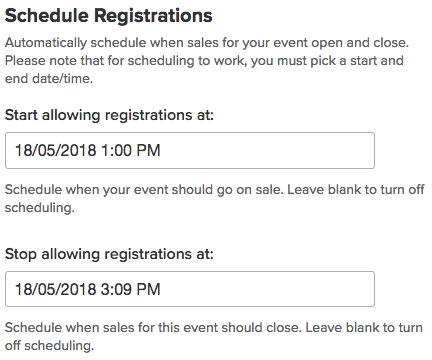
You can see an animation of this working at: https://www.dropbox.com/s/71sx0dvf54wbixx/May-18-2018%2015-27-23.gif?raw=1

Please note: At the moment, you must set both a start and a stop date in order for scheduling to work.